How to Use the Error Log
The Error Log shows you the recent errors in syncing, downloading feeds, reading from the keychain, and in other operations.
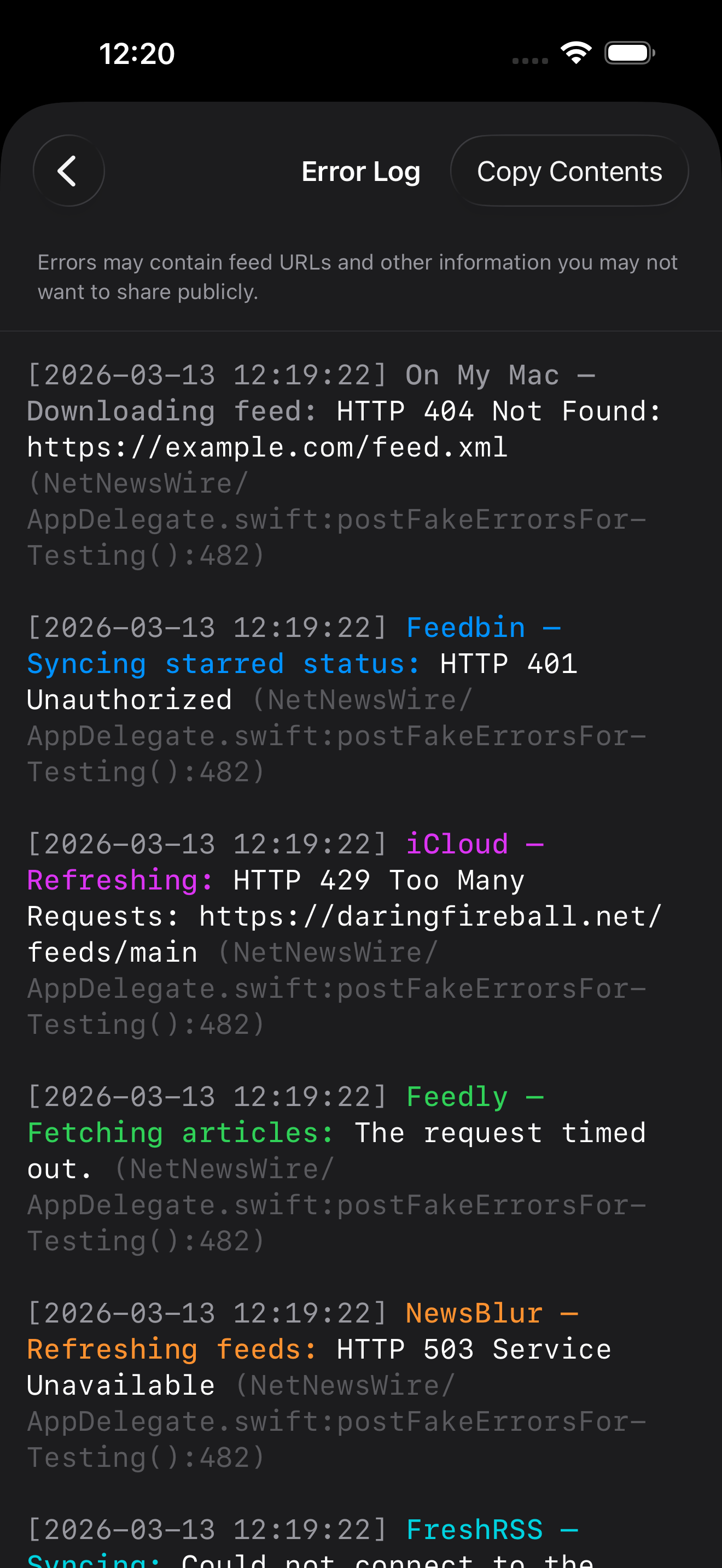
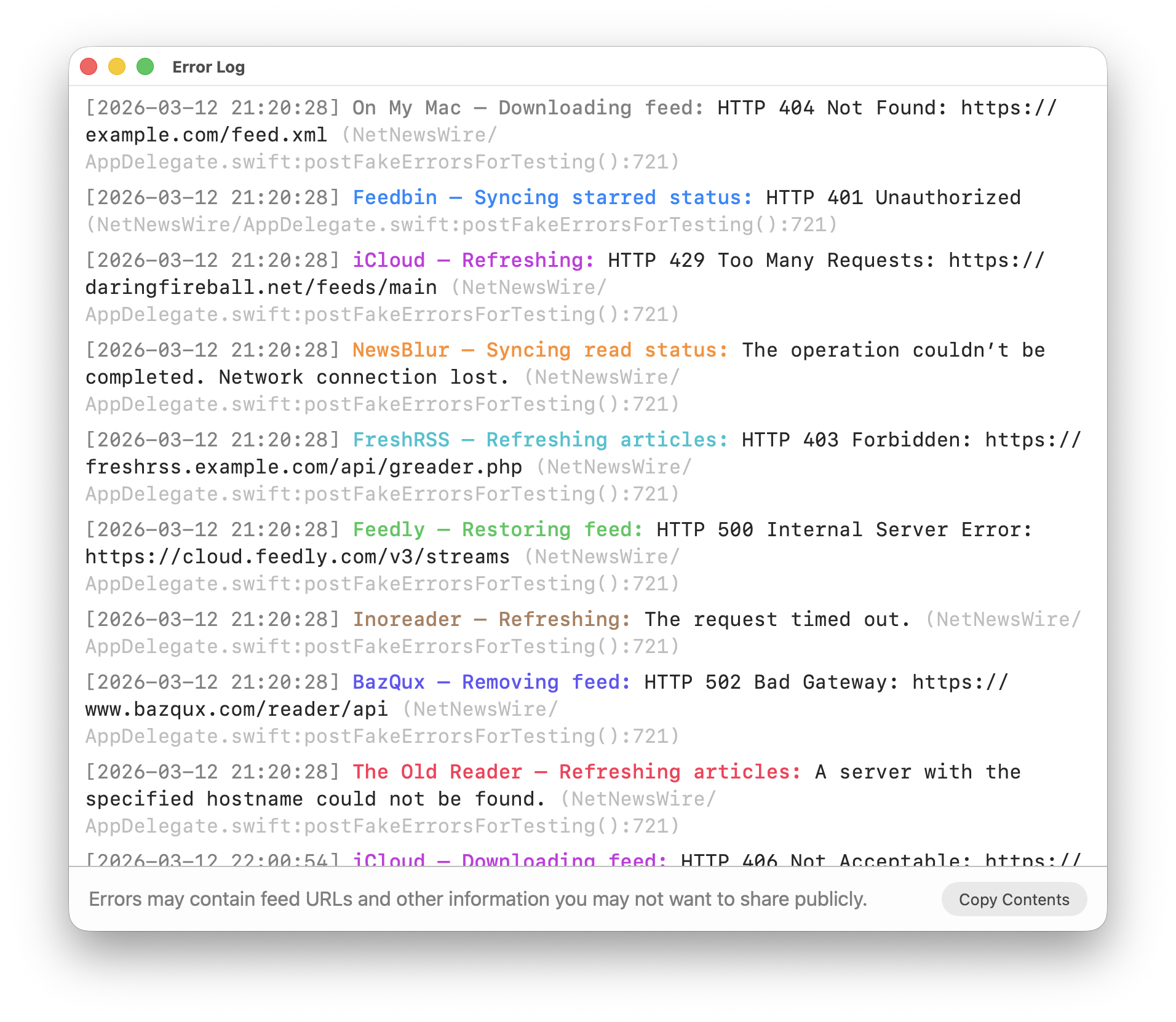
Each entry includes date and time, the account name (usually), what it was doing, the error message, and the line of code where the error was logged. Like this:
[2026-03-12 21:20:28] Feedbin - Syncing starred status: HTTP 401 Unauthorized
(NetNewsWire/AppDelegate.swift:postFakeErrorsForTesting():721)
The log can be useful in helping figure out why a certain feed or an entire account isn’t updating, for instance.
It can also be useful when trying to get help — you can copy and paste all or part of the log when reporting a bug on the issues tracker or asking for help in the forum.
The Error Log includes a warning about sharing, as you can see in the screenshots below. You don’t have to try to remember — it will remind you.
(The Error Log was added in NetNewsWire 7.0.2, released in March 2026.)
Mac
To open it, choose Window > Error Log or type cmd-9. Screenshot:
Tip: Find
On Mac, type cmd-F to open the Find bar and search within the log.
iOS
To open it, open the settings screen, then tap Troubleshooting > Error Log. Screenshot: